

Product tour
In Opfield you publish an application, connect it to a private database, check its state, and grant access in one product, without scripts on servers. Every operation is recorded in its resource, a Task, and the audit log.
Follow the application path
Section titled “Follow the application path”- Prepare Opfield and add your first Node.
- Run the application in Docker or build it from Git.
- Create a Domain, TLS certificate, and Route to make the application available to users.
- If needed, create a managed database and a private binding.
- Grant the team access through groups and configure notifications.
For a complete first launch, follow the application publishing journey. If the application already has a database, continue with the private database journey.
Where work starts
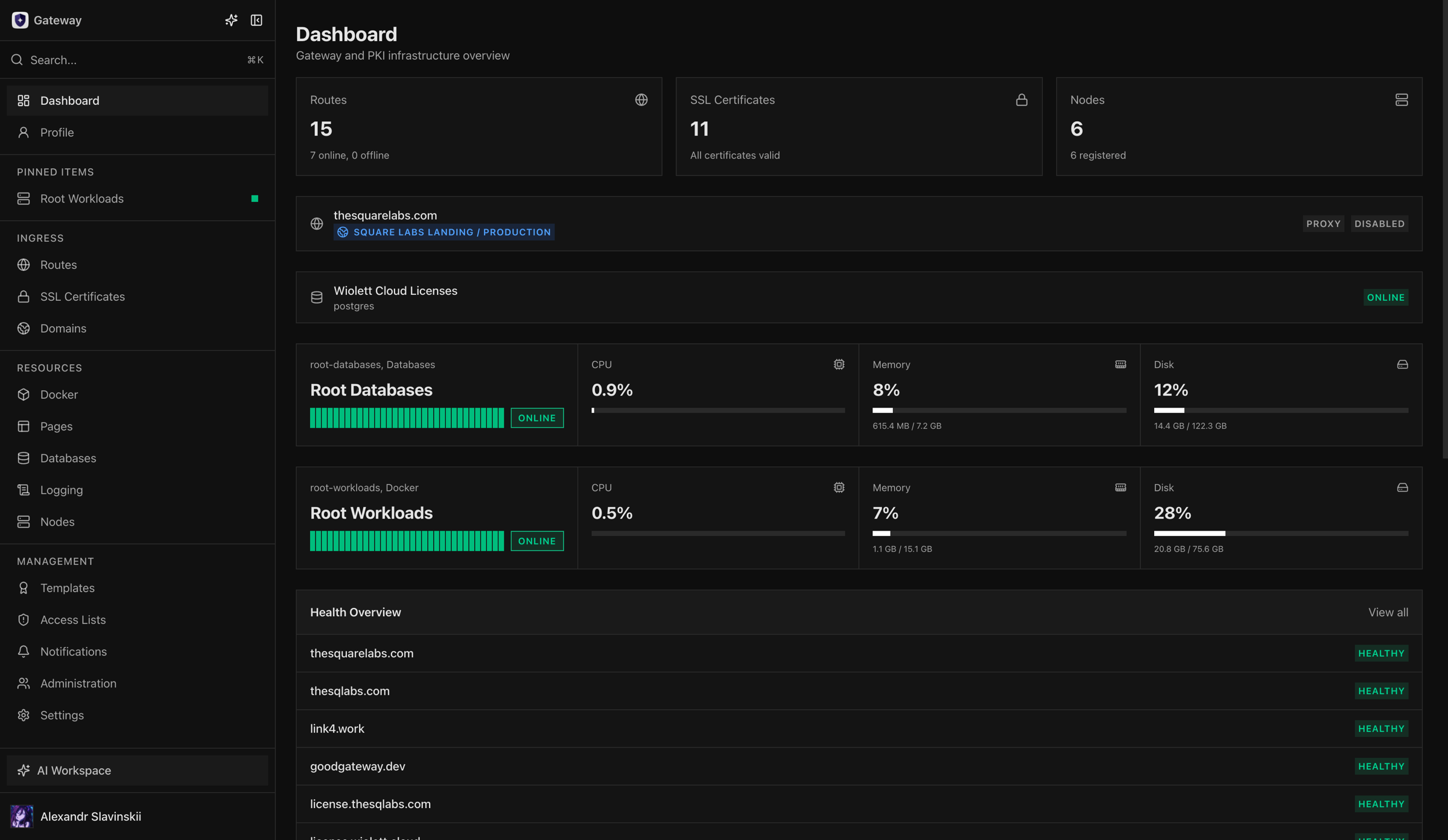
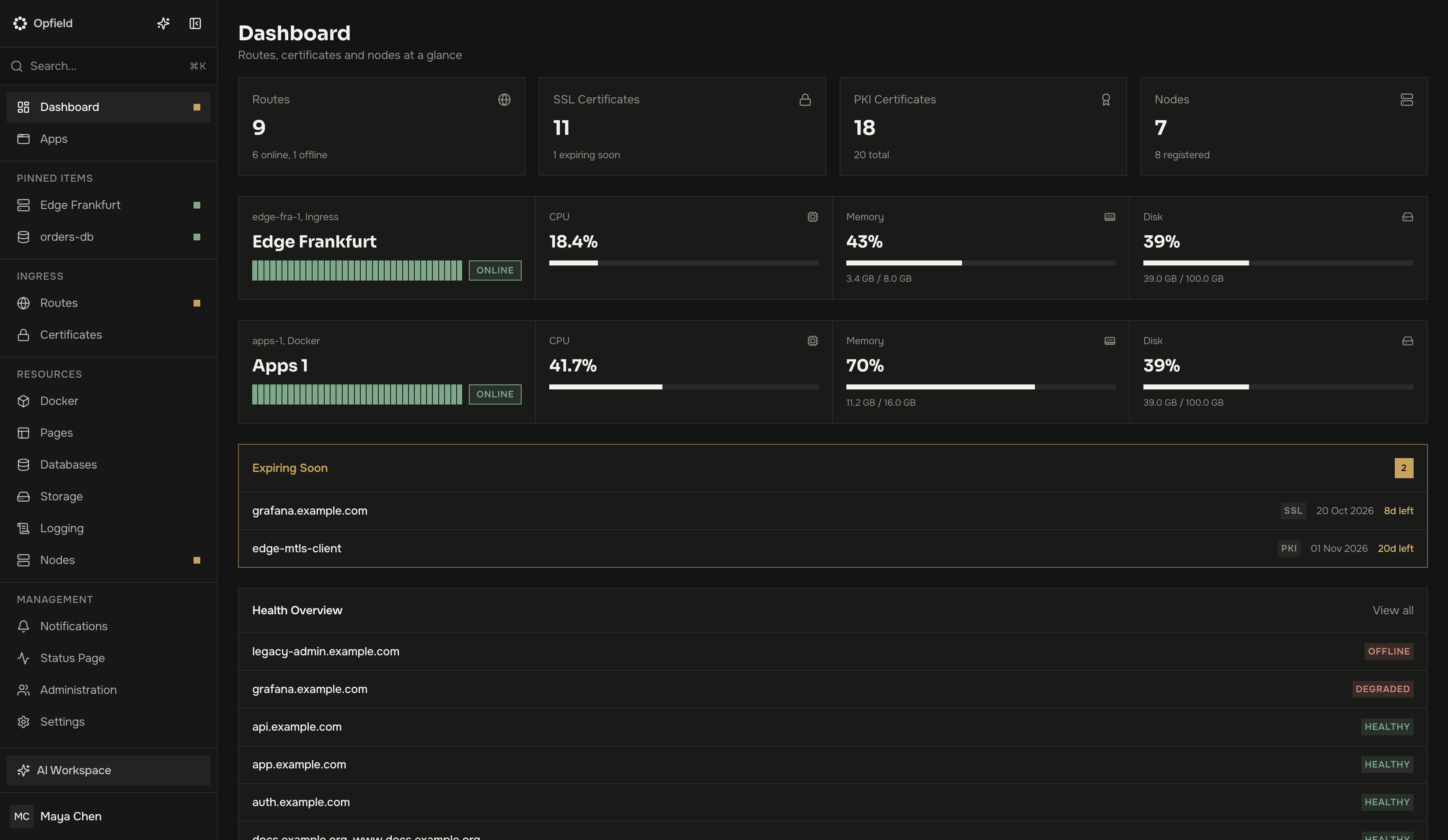
Section titled “Where work starts”The Dashboard shows whether the infrastructure needs attention by collecting warnings, recent operations, and pinned resources. Open a warning to reach the relevant Node, Route, workload, database, or Task. Detailed metrics and logs stay next to the resource they describe.
Check the result, not the confirmation message. For a publication, verify the real response through the domain; for Docker, inspect workload state and logs; for a database, test the application connection; for a long-running operation, check the final Task and the actual resource state.
Core Opfield areas
Section titled “Core Opfield areas”The sidebar groups the areas the way the sections below do: Dashboard and Apps first; Routes and Certificates under Ingress; Docker, Pages, Databases, Storage, Logging, and Nodes under Resources; and Notifications, Status Page, Administration, and Settings under Management. Routes has the tabs Routes, Domains, Ingress Groups, Access Lists, and Templates (nginx templates). Certificates has the tabs SSL, Authorities, PKI Certificates, and Templates (certificate templates); the last three need internal PKI. Profile opens from the account menu at the bottom of the sidebar. Some items and tabs appear only when their feature is enabled or you may use it.
Apps: one place per application
Section titled “Apps: one place per application”An app groups the containers, Compose projects, databases, storage, routes, and Pages of one application into environments such as production and staging. Its page shows the health and alerts of everything together, sets the variables, secrets, and nodes of each environment, promotes what runs in one environment to another by image digest, and can shut down or isolate the whole application at once. Resources inside an app leave the normal lists, which keeps those lists for what is shared.
Ingress: publish applications securely
Section titled “Ingress: publish applications securely”Domains, TLS certificates, and Routes are separate resources. You can renew a certificate without rebuilding the application or roll back the application without changing DNS. A Route connects a domain to an application and defines access, maintenance, forwarding, and health policy. An Access List signs visitors in on the Route itself with an Opfield account, Google, an OIDC provider, or a password, and lets scripts through with a service token. Start with publishing through Domain, Route, and TLS.
Docker: run and update applications
Section titled “Docker: run and update applications”Docker supports standalone Containers, health-checked Deployments, Compose Projects, images, volumes, networks, registries, and Git builds. Choose a Container for a simple single service, a Deployment for controlled version switching, or a Compose Project for a multi-service application. Operations are recorded as Tasks: if you lose the page, open the existing Task before starting a duplicate.
Databases: give an application exactly the access it needs
Section titled “Databases: give an application exactly the access it needs”Opfield connects to external PostgreSQL, key-value (Redis-compatible), and ClickHouse databases and provisions managed databases on Nodes with the appropriate role. An external connection gives your team health, metrics, Explorer, and Console for a database run elsewhere; a managed database is also provisioned, resized, and bound to workloads by Opfield. See Managed and external databases at a glance. A managed database is private by default. The application receives a binding-specific identity instead of the database owner credential. Removing the binding revokes the application’s access; deleting the database itself removes data, so define backup and recovery first. Database backups write native backups to storage connections or managed object storage, which a Storage Node also runs.
Pages: publish static sites with simple rollback
Section titled “Pages: publish static sites with simple rollback”Pages stores immutable static-site Deployments. A Tag determines which Deployment users see, so rollback means moving the Tag to a previously verified version rather than changing files on a server. The Pages journey takes you from an artifact to a public domain.
Nodes and observability: trust confirmed state
Section titled “Nodes and observability: trust confirmed state”Nodes are enrolled Linux hosts with roles such as Ingress, Docker, Storage, Build Worker, Monitoring, or Relay. They establish an authenticated connection to Opfield and report their actual version, capabilities, and health. Metrics and logs explain problems, notifications reach the right team, and the audit history shows who changed the configuration.
Access and administration
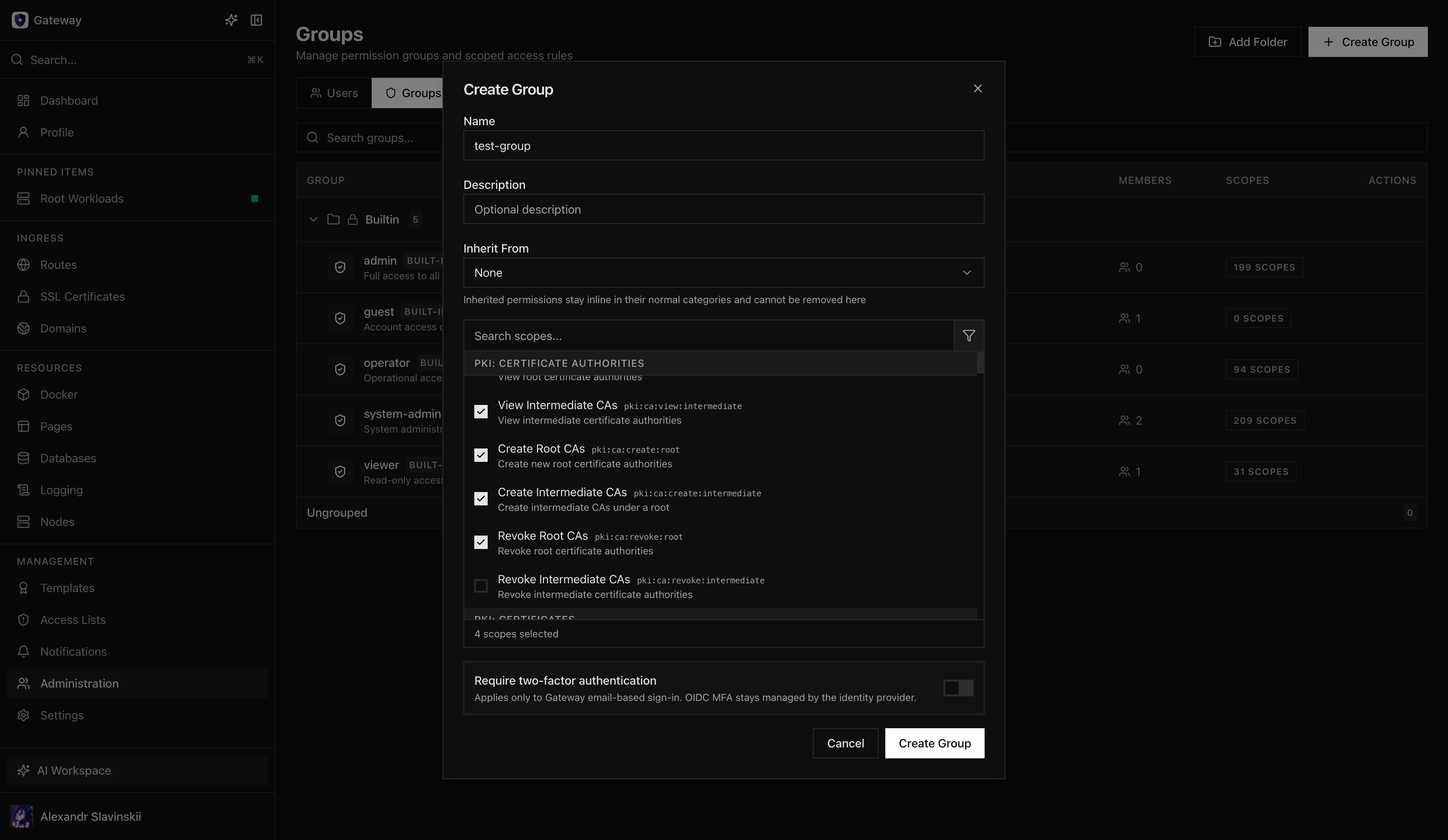
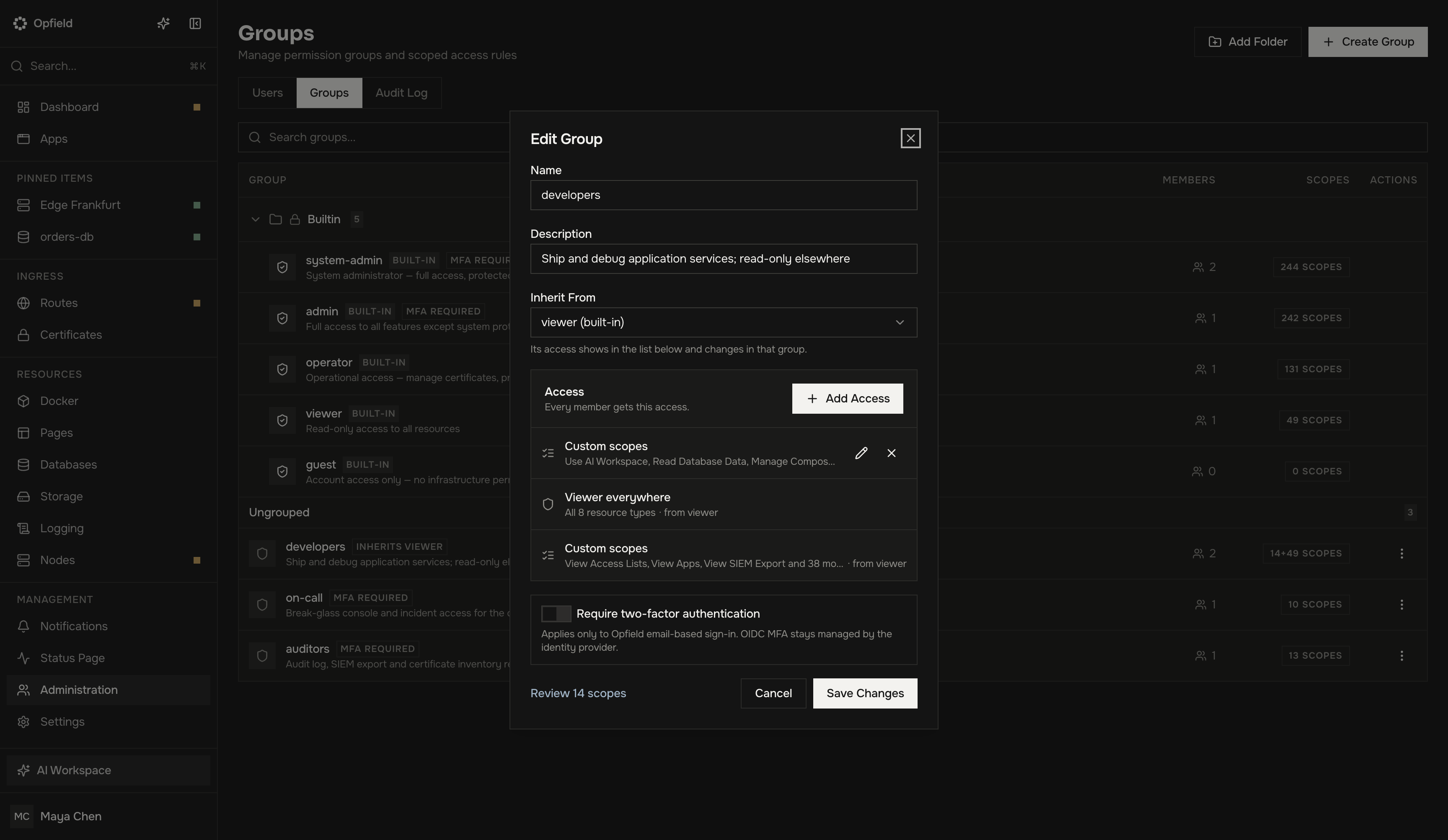
Section titled “Access and administration”Users, groups, resource scopes, authentication methods, API tokens, OAuth clients, integrations, licensing, and updates are centrally administered. Permissions can be limited to a specific Route, Node, workload, or database instead of granting access to an entire Opfield area.
Create groups around job responsibilities before inviting a larger team, and preserve a separately controlled recovery path for system administration. The user profile includes personal preferences, active authorizations, and, when enabled, Opfield Inference usage.
AI and programmatic operation
Section titled “AI and programmatic operation”AI Workspace reads the documentation, prepares plans, and runs operations within the user’s permissions and approval mode. It has no access of its own. The Operations Console, REST API, OAuth clients, and remote MCP expose the same resources and apply the same permission, plan, and audit checks as the interface.
Opfield Inference is a separate data plane with dedicated opfi_ tokens, providers, usage accounting, and model access rules. Set up a harness gives any coding tool its base URLs, a key, and a ready configuration for Codex Desktop. Enabling AI Workspace or MCP does not automatically grant access to every model or infrastructure action.
What stays with you
Section titled “What stays with you”Opfield runs the resources you give it and records every change to them. Your servers and their operating system, the network perimeter, accounts at DNS and hosting providers, source repositories, and off-site backup destinations stay with you. Before a production launch, complete the production readiness checklist and keep the incident runbook available.