

Key-value stores
A key-value store is the database type that the console lists as Key-value store, with the note “Works with Redis clients.” Applications connect to it with the Redis client libraries and commands they already use. External key-value connections work the same way and can point at Redis, Valkey, or another server that speaks the Redis protocol.
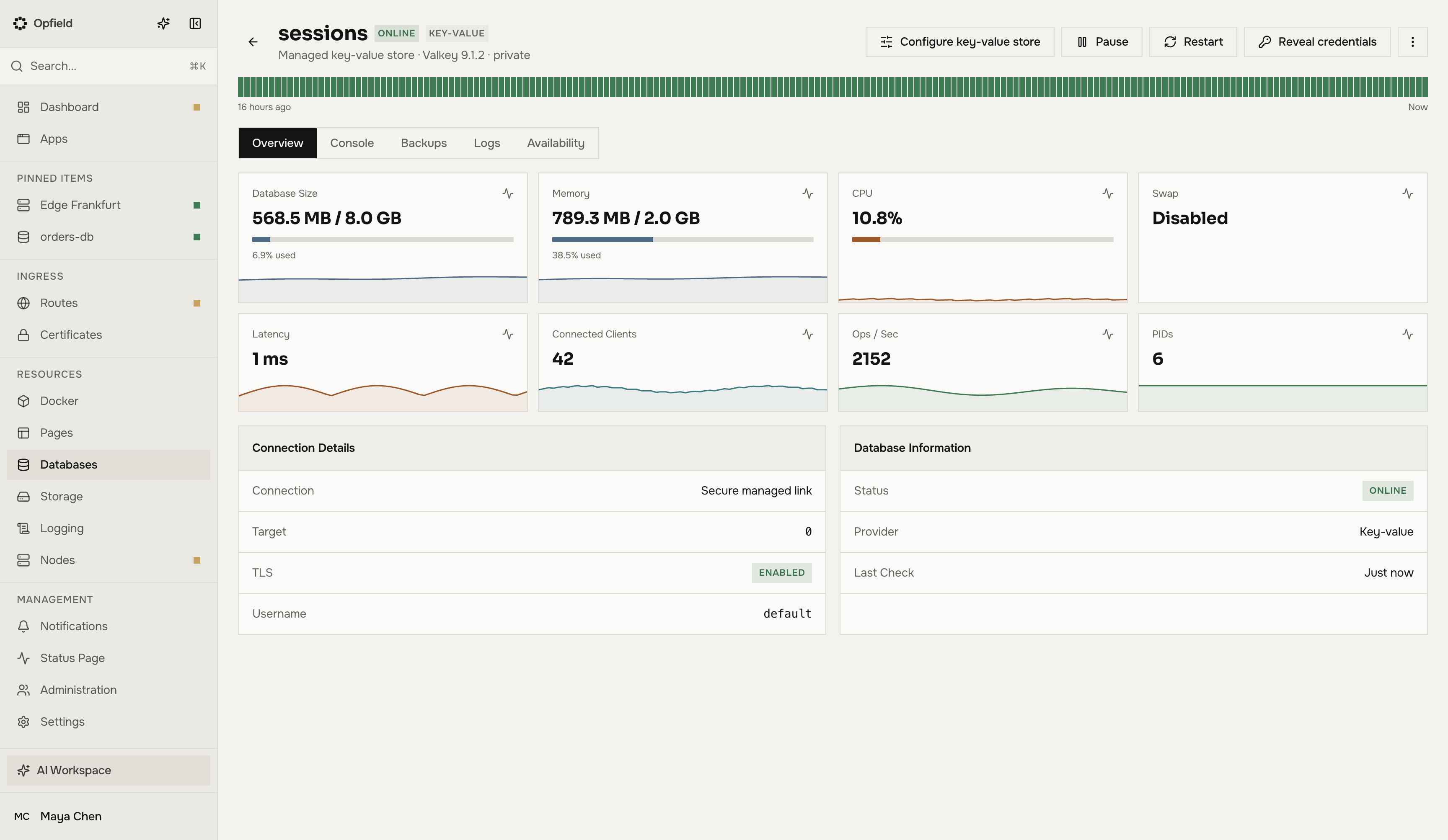
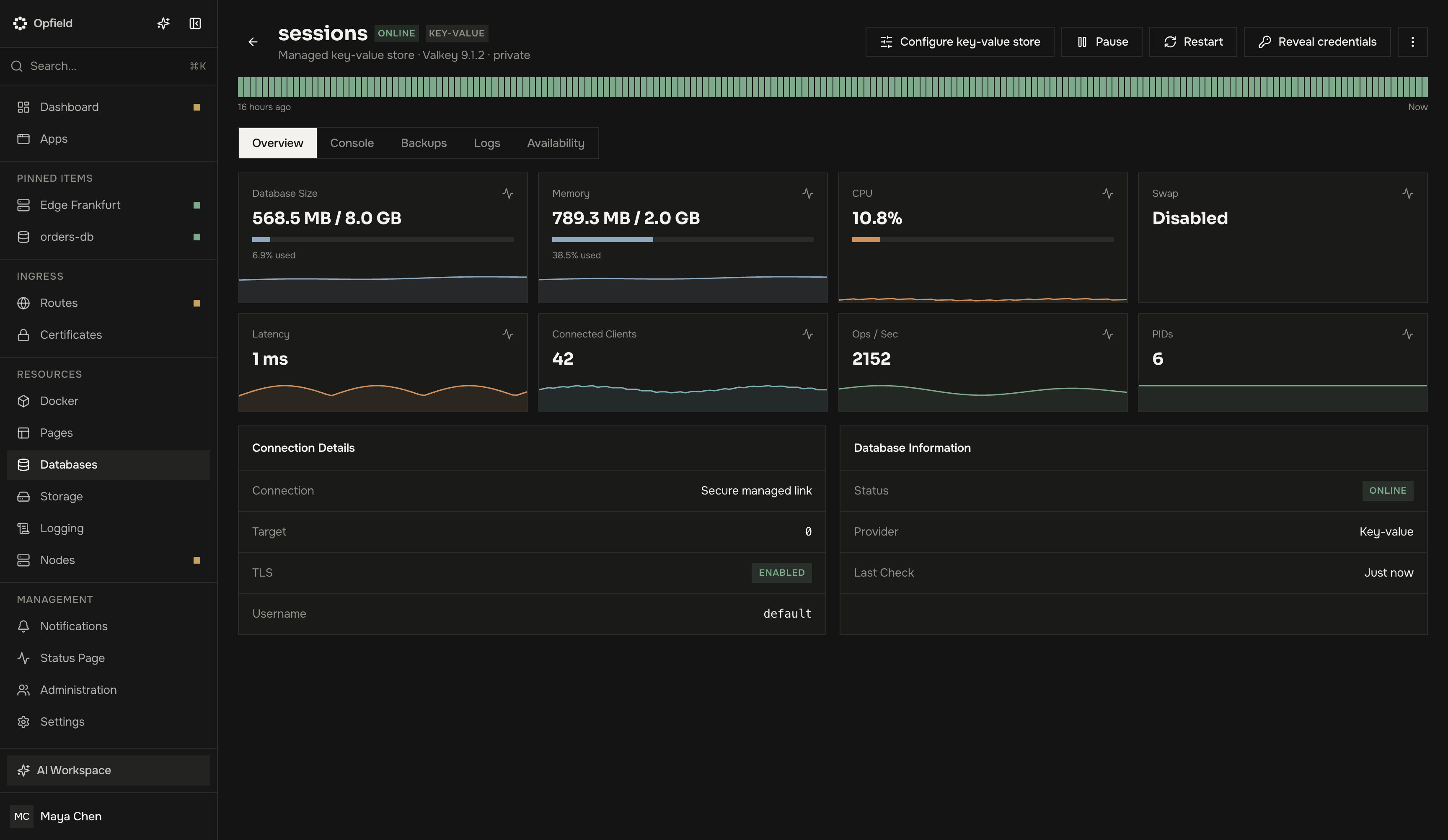
Managed key-value stores
Section titled “Managed key-value stores”New managed key-value stores run Valkey 9.1.2 with the JSON, Bloom, and Search modules. They are created, resized, paused, published, bound to workloads, and backed up like every managed database. Creating one requires Personal or higher.
Each binding gets its own ACL user. It can run ordinary data, connection, transaction, and pub/sub commands and load and run scripts; it cannot administer ACLs, flush or kill scripts, or manage functions.
The explorer scans keys, shows values, and sets, deletes, and expires keys when you are allowed to; the console runs Redis commands.
A key-value store can also run on several servers on Business and Enterprise. Its copies always follow the primary asynchronously.
Move to Valkey
Section titled “Move to Valkey”Stores created before 2.12 keep running Redis. They keep working as before; nothing changes until you move them.
Move to Valkey on the store’s page copies every key into Valkey on the same node and switches the store to it:
- The dialog first checks the store and shows the number of keys and the expected write pause.
- Confirm. Writes pause while the keys are copied; reads keep working.
- When the key counts match, the store switches to Valkey. It keeps its credentials, published port, and bindings; connected clients reconnect.
The Redis data stays on the node until the counts match. If anything fails, the store goes back to Redis.
The move is refused before anything changes when:
- the store is not running;
- its node runs a Docker daemon that does not support Valkey; update the daemon first;
- it holds keys that cannot be copied: Bloom or cuckoo filters, time series, vector sets, or search indexes;
- its app environment is isolated.
Stream consumer groups move with their last delivered ID, but not their pending entries. When a store has pending entries, the dialog says how many, and the move needs an explicit confirmation.
API: GET (check) and POST /api/databases/managed/{id}/move-to-valkey, with acceptPendingStreamLoss: true to accept losing pending stream entries. MCP: manage_managed_database actions move_to_valkey_check and move_to_valkey. Scope: databases:edit.
Backups
Section titled “Backups”A key-value backup restores only into the engine it was taken from: a Redis backup into a store that runs Redis or into a new store, a Valkey backup into a store that runs Valkey or into a new store. Take a new backup after Move to Valkey so that your latest backup matches the engine. See Database backups.
Backups read the store over replication, so the user of an external key-value connection needs the replication commands (REPLCONF, SYNC). Saving a backup policy and every run check this.