

SSL certificates
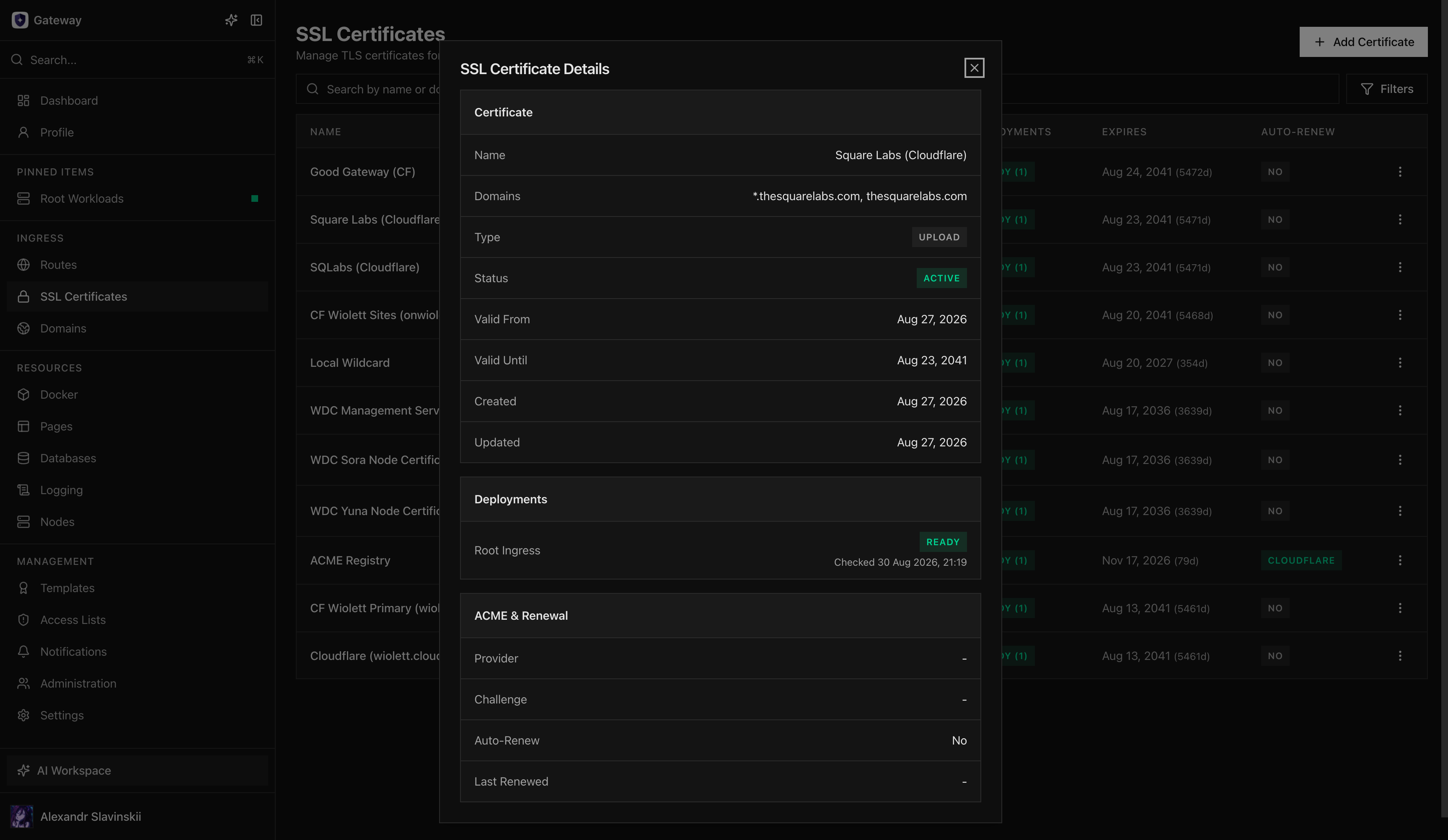
Opfield supports ACME certificates, uploaded certificates, and certificates linked from Internal PKI. ACME can use HTTP-01 or DNS-01. Uploaded material should include the complete chain and matching private key.
The business outcome is predictable HTTPS ownership: every public Route has an identified certificate owner, a renewal method, enough warning before expiry, and a tested replacement path. Opfield owns issuance workflow, relationship tracking, and distribution to the required Ingress Nodes. Your team still owns Domain control, external DNS correctness, approval of certificate names, and the response to a compromised key.
Choose automation when Opfield can reliably prove Domain control. Choose upload when an external certificate authority or corporate process owns issuance. In both cases, success means an external client validates the expected hostname and chain on every affected Route; a certificate marked Active but not attached and served is not a completed rollout.
Attach certificates to Routes rather than copying files to nginx hosts manually. Opfield distributes node-local replicas only where enabled TLS Routes use them. Monitor expiry and renewal status, and test renewal before the remaining lifetime becomes operationally urgent.
For HTTP-01 failures, verify Domain placement, public port 80, DNS, and challenge routing. For uploaded certificates, verify hostname coverage, chain order, key match, and supported encoding.
Choose the certificate path
Section titled “Choose the certificate path”- Use HTTP-01 when the hostname already resolves to the assigned Ingress node and public port 80 is reachable.
- Use DNS-01 when wildcard names are required or HTTP validation is not practical. Configure a supported DNS connector with the smallest zone scope.
- Use Upload for certificates issued outside Opfield. Upload the private key, leaf certificate, and required intermediates as one coherent chain.
- Use Internal CA to link a certificate issued by Opfield’s Internal PKI, for services whose clients trust your private CA.
Before issuing, confirm the Domain exists, its placement is final, and the requested names exactly match the intended Routes. Certificate issuance does not repair incorrect DNS or Route placement.
Ownership and risk decisions
Section titled “Ownership and risk decisions”Assign an owner for renewal failures and an escalation window that is shorter than the remaining certificate lifetime. Review wildcard requests carefully: they reduce operational repetition but expand the impact of one private-key compromise. Give DNS connectors only the zone permissions needed for challenge records, and keep uploaded private keys out of tickets, chat, repositories, and local operator notes.
Before changing a certificate shared by multiple Routes, review every deployment relationship shown by Opfield. Decide whether the change is a routine renewal, a planned authority migration, or an emergency key rotation; each has a different communication and rollback requirement.
Issue and attach
Section titled “Issue and attach”- Open SSL Certificates and create the certificate.
- Select ACME or upload and provide the required names/material.
- Wait for validation and issuance to complete.
- Open each dependent Route and select the certificate.
- Enable TLS and apply the Route.
- Wait for distribution to the assigned Ingress node.
- Verify the public chain, hostname, protocol, and expiry from an external client.
Opfield distributes private key material only to nodes that currently need it. Do not copy managed certificate files between nginx hosts; manual copies escape relationship tracking, rotation, and cleanup.
Renewal and rotation
Section titled “Renewal and rotation”Monitor remaining lifetime and the most recent renewal attempt. Test DNS connector credentials and HTTP challenge reachability before expiry becomes urgent. For uploaded material, create or update the managed certificate through Opfield and verify every attached Route after replacement.
Changing a certificate can affect multiple Routes. Review relationships before rotation, preserve the previous material until external verification succeeds, and avoid combining certificate replacement with unrelated ingress changes.
The success criteria for renewal are: the new validity window is visible, Opfield reports successful distribution to every required Ingress Node, public clients receive the new chain, and no Route falls back to a default or stale certificate. Retain the previous certificate only as long as policy and incident rollback require; do not leave expired private-key material broadly accessible.
Internal PKI certificates
Section titled “Internal PKI certificates”A linked Internal PKI certificate is reissued automatically, checked daily, when two thirds of its lifetime have passed or 30 days or fewer remain. The new certificate comes from the same CA and template with the same subject, names, key algorithm, and lifetime—ending with the CA if needed—and Opfield distributes it to every Route that uses it. This covers certificates referenced directly by a Route as well.
- Automatic reissue works only when Opfield holds the private key. Linking such a certificate turns it on; certificates signed from a CSR are never reissued, and their expiry alert says so.
- The previous certificate is not revoked, because an exported copy may still be in use; its expiry alert notes that a newer certificate exists.
- The Auto-Renew column shows Reissue for certificates with automatic reissue. Renew in the row menu reissues immediately; it needs
ssl:cert:issueon the SSL certificate andpki:cert:issueon the CA. Disable Auto-Renew turns automatic reissue off, and the certificate then keeps its current material; Enable Automatic Reissue turns it back on. - A failed reissue is shown on the certificate and raises one alert per day.
Operator details: failure handling
Section titled “Operator details: failure handling”- HTTP-01 timeout: verify public DNS, port 80, Domain placement, and challenge routing.
- DNS-01 failure: verify connector authorization, account/zone selection, propagation, and stale challenge records.
- Key mismatch: confirm the uploaded private key corresponds to the leaf certificate.
- Incomplete chain: include intermediates in issuer order and exclude unrelated roots.
- Not distributed: confirm an enabled TLS Route on that node actually references the certificate.
Delete a certificate only after all Routes are detached and a replacement has been externally verified. Opfield refuses to delete a certificate that a Route or the Pages wildcard profile still uses with 409 CERT_IN_USE, even when a Route is attached to it while the deletion runs. Preserve exported material according to the organization’s key-retention policy.
If a key may be compromised, treat replacement as an incident rather than ordinary renewal. Issue a new keypair, update all dependent Routes, verify externally, revoke the old certificate where the authority supports revocation, and record the affected names and exposure window. A rollback must never restore a certificate whose private key is suspected to be compromised.